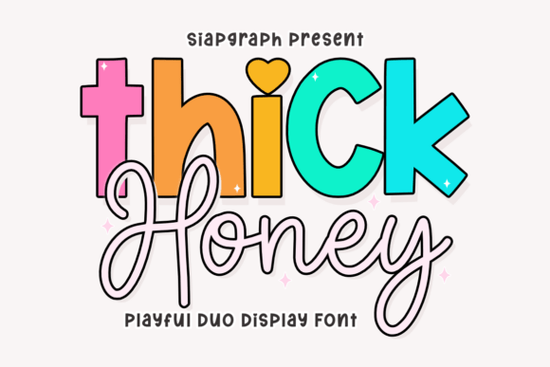
Finding the right typography for a project often comes down to balancing impact with personality. When you need something that grabs attention but still feels friendly, a duo typeface can be the perfect solution. The Thick Honey Duo Font is designed specifically for this purpose, offering a bold display style paired with a fluid script. This combination allows creators to build hierarchy in their designs without switching between completely different font families. Whether you are making logos for a local bakery or designing nursery wall art, having both a chunky header and a delicate script in one package saves time and ensures visual consistency.
What makes this typeface suitable for branding?
Branding requires more than just pretty letters; it needs to convey a specific mood instantly. The rounded characters in the display version of this font create a sense of approachability and warmth. This is particularly useful for businesses targeting families or children, such as toy stores, daycare centers, or sweet shops. The heavy weight of the letters ensures readability even from a distance, which is crucial for merchandise like tote bags or t-shirts.
On the other hand, the script component adds a human touch. It mimics hand-lettering, which can make a brand feel more authentic and less corporate. When you combine these two styles, you get a dynamic look that feels professionally crafted yet whimsical. For example, a bakery could use the bold style for their shop name on the window and the script for menu descriptions or daily specials. This contrast helps guide the customer's eye through the information naturally.
How do you pair the script and display styles?
Using a duo font effectively means understanding when to use each style. You should not use both styles for the same line of text, as it can look cluttered. Instead, use the display font for main headlines or key words that need to pop. Reserve the script for secondary information, signatures, or accent words. This creates a clear visual hierarchy.
Color also plays a significant role in making these fonts work. Because the characters are thick and rounded, they handle vibrant, multi-colored palettes very well. You might try using a pastel background with deep, saturated text colors to make the letters stand out. For social media graphics, layering the script over the display text can create a cool, sticker-like effect. Just ensure there is enough contrast between the two layers so that neither gets lost. If you enjoy experimenting with different weights, you might also explore options like this bold display option to see how varying thickness affects your layout.
Are there similar styles to consider?
While this typeface is versatile, every project has unique needs. Sometimes you might want something slightly more retro or perhaps softer. If you are looking for a vibe that leans into a seventies aesthetic, you could compare it with styles found in retro vibes found in Groovy Melt. That style offers a melted look that works well for vintage posters, whereas the honey-themed font stays cleaner and more structured.
For creators who want to maintain that cute aesthetic but need different character shapes, checking out aesthetic similar to Groovy Cute might provide additional inspiration. It is always helpful to have a few options in your toolkit. Additionally, if you need a script that stands on its own without the bold display partner, looking at friendly script options such as Hello Angela can give you more flexibility for body text or invitations. Having a variety of fonts allows you to tailor the mood precisely, whether you need high energy or calm elegance.
Once you have selected your primary typeface, you can return to view the full Thick Honey Duo collection to ensure you have access to all the glyphs and alternates included in the package. This ensures you aren't missing out on decorative swashes or ligatures that could add extra flair to your final design.
What technical features are included?
One of the most practical aspects of this download is the inclusion of PUA (Private Use Area) encoding. This feature means that all special characters, decorative elements, and alternates are accessible directly from your font menu without needing third-party software or complex keystrokes. For designers who work across different operating systems, this compatibility is essential. It reduces frustration during the installation process and ensures that your design files look the same on every computer.
Installation is straightforward. Once downloaded, you can unzip the file and install the font files on your Windows or Mac system. After restarting your design software, the font should appear in your list ready to use. Always remember to check the license terms provided with the download. Most creative fonts allow for commercial use, which is vital for print-on-demand sellers and small business owners who need to sell products featuring the typography.
Design Checklist for Using Duo Fonts
- Check Contrast: Ensure the bold and script styles are distinct enough to create hierarchy.
- Test Readability: View your design at different sizes to confirm the thick letters remain clear.
- Use Color Wisely: Apply vibrant palettes to enhance the playful nature of the rounded characters.
- Verify Licensing: Confirm commercial rights before using the font on products for sale.
- Explore Alternates: Use PUA encoded characters to add unique touches to standard letters.
By following these steps, you can maximize the potential of your typography choices. The right font pair simplifies the design process and helps your message resonate with your audience. Take the time to experiment with spacing and layering to find the perfect composition for your next creative project.
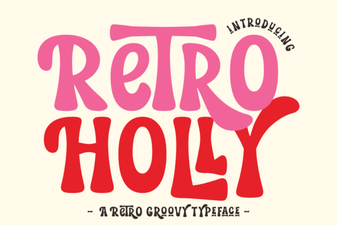 Retro Holly Fonts for Vintage Web Design
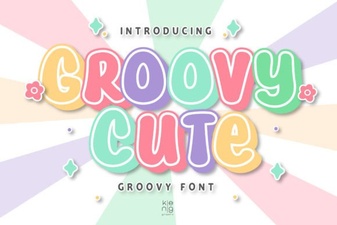 Groovy Cute Fonts for Creative Projects & Designs
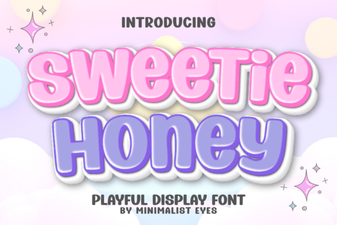 Sweet Honey Font: Crafting Warm & Welcoming Designs
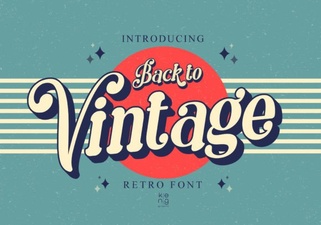 Craft a Vintage Font for Retro-Inspired Designs
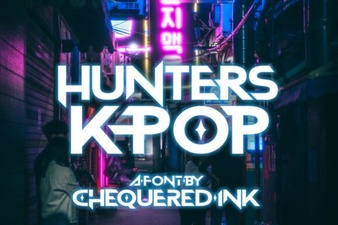 Hunters Font: Creative K-Pop Design Projects
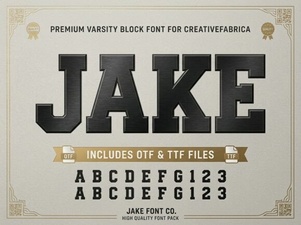 Jake Font: Typography for Modern Digital Projects